How to Get the WhatsApp Green Tick (Verified Badge) in India — 2026 Guide
How to get the WhatsApp green tick (verified badge) in India in 2026 — what the Official Business Account badge means, eligibility, the request process, and approval tips.
Key Takeaways
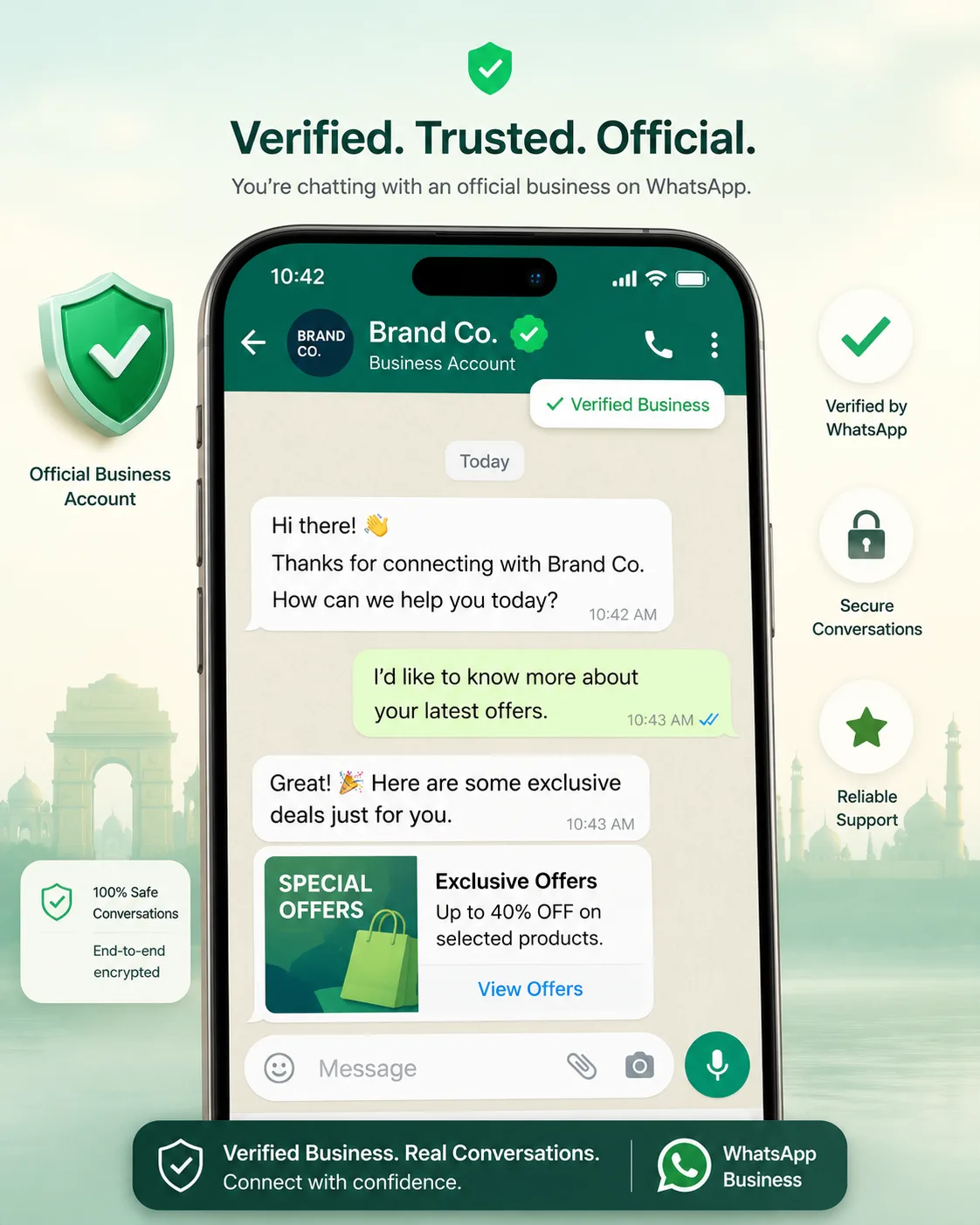
- The WhatsApp green tick is the Official Business Account badge — it confirms Meta has verified your business as authentic and notable.
- It is NOT something you can buy; Meta grants it selectively based on brand notability and a clean, verified account.
- Prerequisites: a verified Meta Business account, a connected WhatsApp Business Account (WABA) on the API, a compliant display name, and a high messaging quality rating.
- You request it from Meta Business Manager (Business settings) once your WABA is connected and verified — approval is at Meta's discretion.
- PayPerWA helps you maintain the high quality rating and clean display name that make the green tick achievable, with transparent Meta ₹0.86 + PayPerWA ₹0.20 pricing.
What Is the WhatsApp Green Tick?
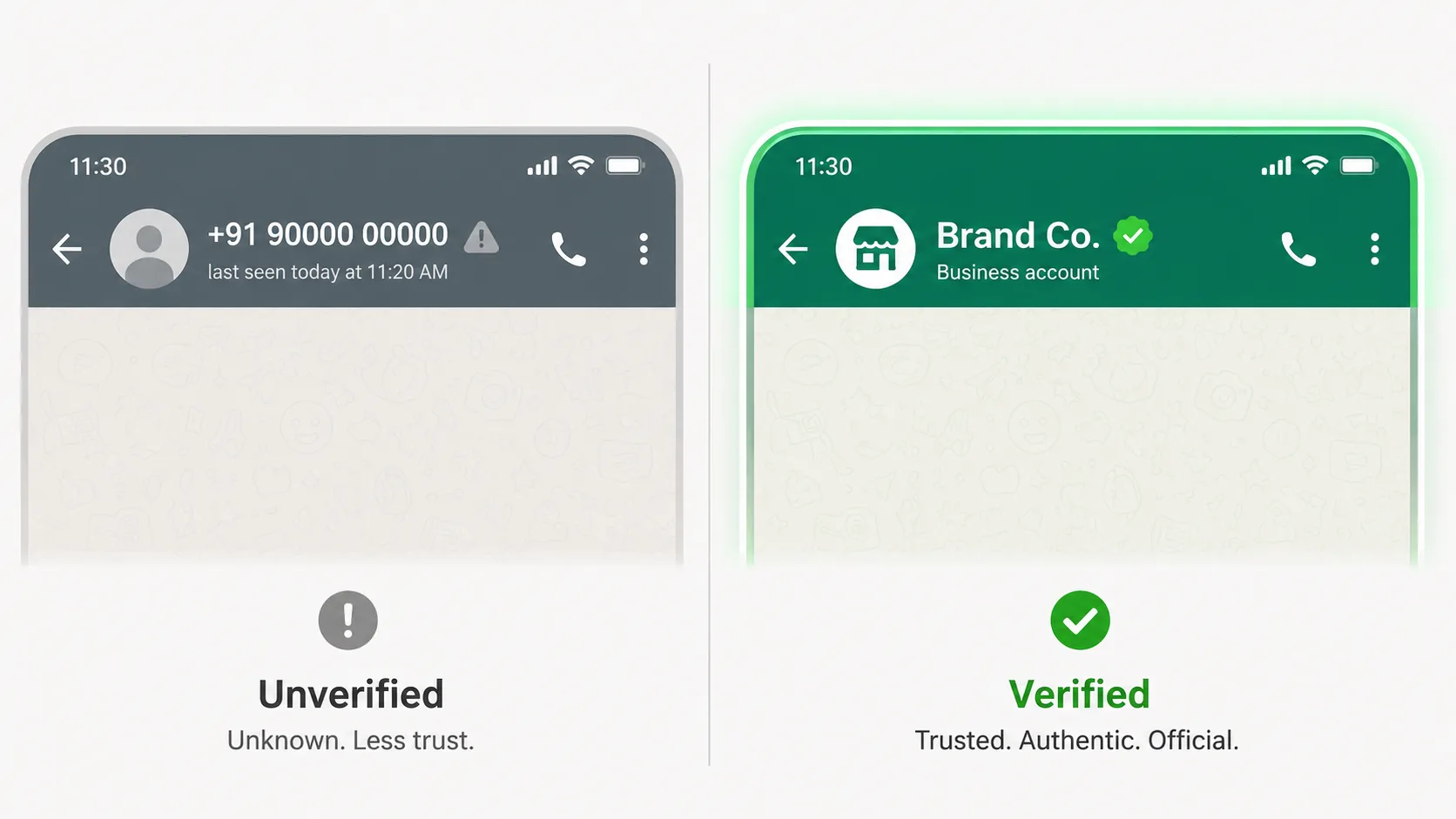
The WhatsApp green tick is the Official Business Account (OBA) badge that Meta places next to a business's name to confirm it is authentic and notable. When a number has this badge, WhatsApp shows your verified business name at the top of the chat even for people who have never saved your number — a powerful trust signal. Meta's verified badge for businesses appears in green, which is why everyone calls it the "green tick."
It is important to be precise here: the green tick indicates an Official Business Account, not merely that you are using the API. Plenty of businesses run the WhatsApp Business API without the badge. The badge is a separate, selective verification that Meta grants based on your brand's public notability and a clean account history.
This guide covers what the badge is and isn't, who qualifies, the exact request process via Business Manager, how to improve your odds, and what to do if you're rejected — all tailored to Indian businesses in 2026.
What the Green Tick Is NOT
The green tick is not a paid upgrade, not automatic when you join the API, and not the same as the grey checkmark some accounts show. Misunderstanding this leads businesses to chase the wrong things, so let's clear it up.
- Not for sale. No legitimate platform — including PayPerWA — can "buy" or guarantee the green tick. Anyone promising a paid green tick is misleading you.
- Not automatic. Connecting your number to the WhatsApp Business API does not grant the badge. You must request it and meet Meta's notability bar.
- Not the grey tick. A grey checkmark historically meant a "confirmed" business name; the green badge specifically marks an Official Business Account that Meta considers notable.
- Not required to send messages. You can run full bulk campaigns and a professional inbox without the badge — it adds trust, not functionality.
In short, the green tick is earned through brand notability and a clean, verified account — not purchased.
Benefits of the Green Tick for Indian Businesses
The green tick boosts customer trust, displays your verified name to people who haven't saved you, and signals that your account is authentic and not a scam. In a market where WhatsApp fraud is common, that authenticity directly improves open rates, reply rates, and conversions.
- Instant trust. Customers see a verified brand, not an unknown number, so they're more likely to open and respond.
- Name shown without saving. Your business name appears at the top of the chat even if the recipient never added you to contacts.
- Scam protection. The badge helps customers distinguish your real number from impersonators using lookalike names.
- Higher conversion on campaigns. Verified senders typically see better engagement on marketing and utility messages.
For high-volume senders running offers, OTPs, and order updates, the badge compounds the value of every message — and the cost per message stays transparent on PayPerWA at Meta ₹0.86 + PayPerWA ₹0.20 for marketing. See current rates on our pricing page.
Eligibility Criteria for the Green Tick
To be eligible for the WhatsApp green tick, your business must be a verified Meta Business with a connected WhatsApp Business Account on the API, a compliant display name, and demonstrable notability — meaning your brand has a genuine public presence. Meta evaluates notability much like press and search visibility: it looks for evidence that your brand is real and recognised.
The core eligibility checklist:
- Verified Meta Business account — your legal entity verified in Business Manager (documents like GST, incorporation, or utility bills).
- Connected WABA on the API — your number must be on the WhatsApp Business API, not just the consumer app.
- Notability — coverage in reputable news sources, a recognisable brand, or significant public presence (not paid ads or press releases).
- Compliant display name — your name must follow Meta's display-name guidelines (covered below).
- Good standing — no policy violations and a healthy messaging quality rating.
Getting onto the API is the first prerequisite, and PayPerWA's Embedded Signup connects your number to a WABA in about two minutes. From there, you build the brand presence and quality record that support a badge request.
Prerequisites Before You Apply
Before requesting the green tick, complete Meta Business verification, connect your number to a WABA, set a clean display name, and build a healthy messaging quality rating. Skipping any of these makes rejection almost certain. Work through them in order.
- Verify your Meta Business. In Business Manager → Business settings → Security Centre, submit your legal documents and complete business verification.
- Connect your WABA. Onboard your WhatsApp Business number to the API via PayPerWA's Embedded Signup so it sits under your verified business.
- Set a compliant display name. Use your real, recognisable brand name that matches your other public properties (website, social, Google).
- Send compliant, opted-in messages. Run clean campaigns to opted-in customers so your quality rating climbs to High and stays there.
- Build public presence. Ensure your brand appears in independent news coverage and is searchable — this is what Meta weighs as notability.
PayPerWA handles the technical prerequisites — connecting the WABA and keeping your sending clean — so you can focus on the brand-presence side. Learn more on our features page.
Step-by-Step: How to Request the Green Tick
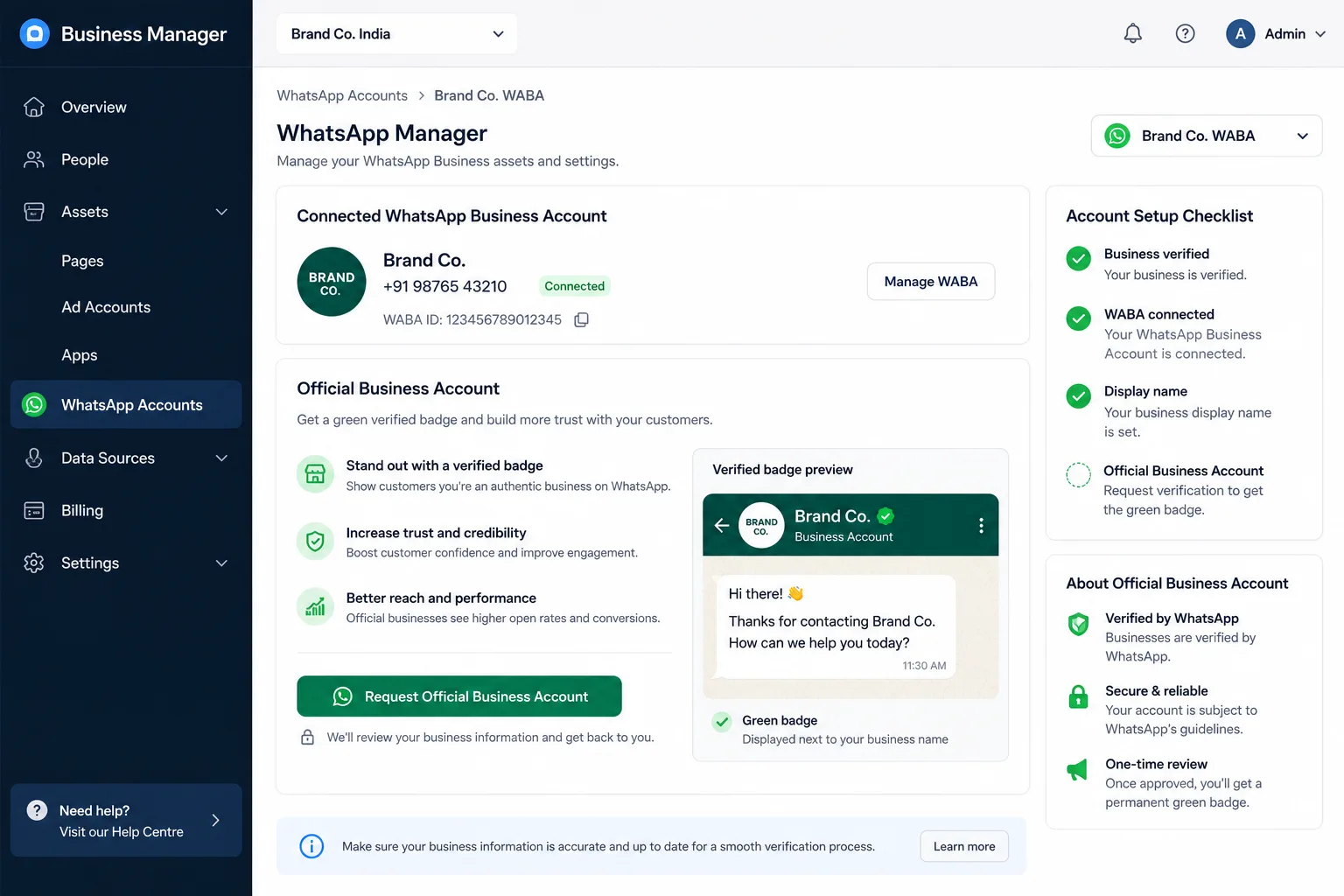
You request the WhatsApp green tick from Meta Business Manager once your business is verified and your WABA is connected — there is no separate website or paid form. Follow these steps:
- Open Business Manager at business.facebook.com and sign in with the account that owns your WABA.
- Go to Business settings → Accounts → WhatsApp accounts and select your WhatsApp Business Account.
- Open WhatsApp Manager and find your phone number's profile settings.
- Locate the Official Business Account request — depending on your eligibility, an option to request the green badge appears in the account settings.
- Submit the request and provide any supporting brand information Meta asks for (links to coverage, your website, social profiles).
- Wait for Meta's review. Meta evaluates notability and account standing; there is no fixed timeline, and the decision is at Meta's discretion.
If the request option isn't visible, it usually means a prerequisite is incomplete — most often business verification or insufficient public notability. The technical setup that puts the option within reach starts at payperwa.com/signup.
Requirements at a Glance — and How to Meet Them
The single biggest factor in green-tick approval is brand notability, backed by a verified business and a clean, high-quality account. The table below maps each requirement to why it matters and how to satisfy it.
| Requirement | Why it matters | How to meet it |
|---|---|---|
| Verified Meta Business | Proves you're a real, legal entity | Complete business verification with GST / incorporation docs in Security Centre |
| Connected WABA on the API | Badge only applies to API accounts | Onboard via PayPerWA Embedded Signup (about 2 minutes) |
| Brand notability | Meta reserves the badge for recognised brands | Earn independent press coverage and strong organic search presence |
| Compliant display name | Names must be genuine and policy-safe | Use your real brand name, matching website and socials |
| High messaging quality rating | Spam-free history signals trustworthiness | Message only opted-in contacts; avoid blocks and spam reports |
| No policy violations | Clean standing is mandatory | Follow WhatsApp Business and commerce policies consistently |
Notability is the hardest to engineer quickly — it's earned over time through genuine market presence, not a paid shortcut.
Display Name Rules You Must Follow
Your WhatsApp display name must be your genuine business or brand name, must match your other public properties, and cannot contain promotional text, prohibited characters, or generic terms. Meta reviews the display name separately, and a non-compliant name will both block the green tick and can get your number flagged.
- Use your real brand name — the same one on your website, invoices, and social profiles.
- No promotional language — names like "Best Deals 50% Off" are rejected.
- No phone numbers or URLs in the name unless they are part of your legal brand.
- No generic terms alone — "Online Store" or "Marketing Agency" without a brand are rejected.
- Capitalisation and spelling must look professional and consistent.
Once approved, changing a display name can trigger re-review, so get it right the first time. A clean, recognisable name also lifts your quality rating, which feeds directly into badge eligibility.
How Quality Rating and Notability Improve Your Odds
A high messaging quality rating and genuine brand notability are the two levers that most improve your green-tick approval odds. Meta wants to badge businesses that customers trust and that don't generate complaints — so a clean sending record and a recognisable brand work together.
Your quality rating (High, Medium, or Low) is driven by how recipients react to your messages. To keep it High:
- Message only opted-in contacts — never scraped or purchased lists.
- Send relevant, well-targeted templates so people don't block or report you.
- Respect frequency — don't blast the same list daily.
- Make opting out easy and honour it instantly.
For notability, invest in real PR and SEO: get covered by reputable Indian publications, maintain an authoritative website, and build a consistent presence across Google and social. PayPerWA's opt-in enforcement, segmentation, and delivery analytics help you protect the quality rating side. For the discipline behind clean sending, read our opt-in compliance guide and API vs App comparison.
What to Do If Your Request Is Rejected
If Meta rejects your green-tick request, fix the most likely gap — usually insufficient notability or incomplete verification — strengthen your brand presence, and re-apply after a waiting period. Rejection is common and not permanent; many businesses are approved on a later attempt once their public footprint grows.
- Confirm business verification is complete in Security Centre — an unverified business is an automatic block.
- Build genuine notability — earn coverage in independent, reputable news outlets and strengthen organic search presence over the following months.
- Clean up your display name if it has any promotional or non-compliant elements.
- Raise your quality rating by sending cleaner, more targeted, opted-in campaigns.
- Re-apply later. Wait, improve, and submit again — there is no penalty for re-applying once you have addressed the gaps.
Set realistic expectations: Meta grants the badge selectively, and even strong businesses can wait or be declined. The badge is a bonus on top of a great WhatsApp channel — not a prerequisite for results.
How PayPerWA Helps You Run a Verified, High-Quality Number
PayPerWA helps you earn and keep the green tick by getting you onto the official API quickly, enforcing opt-in, and giving you the analytics to protect a High quality rating — all with transparent pricing and no subscription. We can't grant the badge (no one but Meta can), but we cover every technical prerequisite under your control.
- Fast onboarding — Embedded Signup connects your number to a verified WABA in about two minutes.
- Opt-in enforcement — automatic opt-out handling keeps complaints and blocks low, protecting your rating.
- Quality analytics — live delivery, read, and failure reports so you catch problems before they hurt your standing.
- Clean templates — a library of compliant templates that pass Meta review and keep messaging professional.
- Transparent cost — Meta ₹0.86 + PayPerWA ₹0.20 = ₹1.06 for marketing, shown separately, with a prepaid wallet via Razorpay.
Start by connecting your number at payperwa.com/signup, then build the brand presence that earns the badge. To scale your messaging once you're set up, see our bulk WhatsApp API guide and automation guide.
Frequently Asked Questions
What is the WhatsApp green tick?+
Can I buy the WhatsApp green tick?+
How do I apply for the WhatsApp verified badge in India?+
What are the eligibility requirements for the green tick?+
Is the green tick the same as a blue tick on WhatsApp?+
How long does green tick approval take?+
Do I need the green tick to send WhatsApp campaigns?+
How does PayPerWA help me get verified?+
Ready to Start WhatsApp Marketing?
No subscription. No monthly fee. Just ₹0.20 per message.
PayPerWA Team
We build India's most affordable WhatsApp marketing platform. No subscriptions, no hidden fees — just 20 paisa per message.