WhatsApp Marketing Automation: The Complete 2026 Guide for Indian Businesses
WhatsApp marketing automation explained for Indian SMBs — the 8 core automations, setup steps, the 24-hour window, transparent costs and compliance.
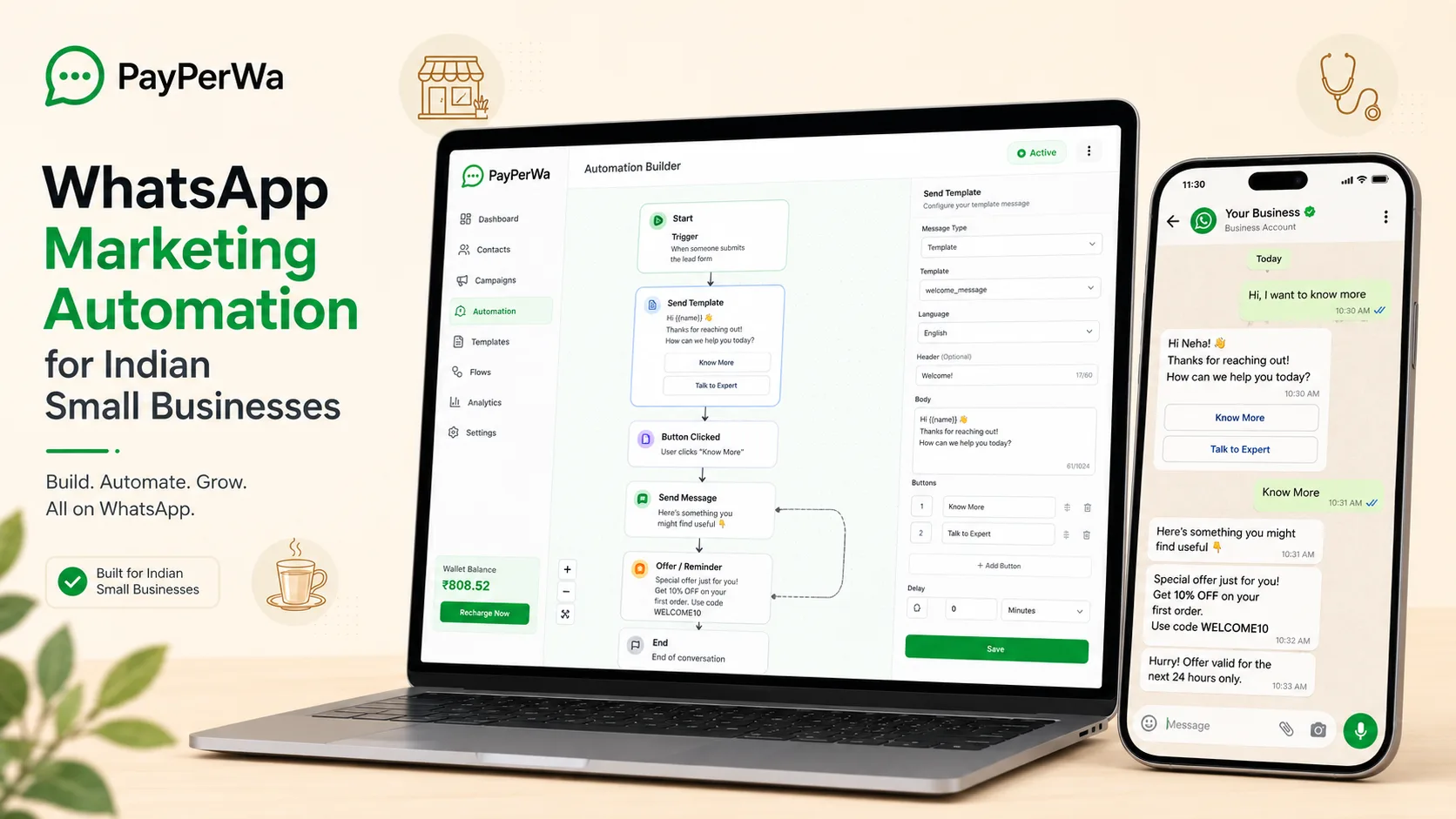
Key Takeaways
- WhatsApp marketing automation sends the right message automatically when a customer takes an action — no manual typing, running 24x7.
- Eight automations cover most Indian SMBs: welcome, auto-reply/keywords, drip sequences, abandoned cart, reminders, order updates, win-back and feedback.
- Costs are transparent: PayPerWA charges a flat ₹0.20 platform fee per message; Meta charges separately only on business-initiated templates (Marketing ₹0.86, Utility ₹0.13, Auth ₹0.13).
- Replies inside the 24-hour customer-service window are FREE from Meta — you still pay only PayPerWA ₹0.20 per message.
- Automation is only legal with explicit opt-in, working templates, and a wallet balance — a balance gate halts flows if your wallet hits zero.
What Is WhatsApp Marketing Automation?
WhatsApp marketing automation is the practice of sending pre-built WhatsApp messages automatically the moment a customer takes a specific action — like signing up, abandoning a cart, or messaging a keyword — without anyone on your team typing or pressing send. Instead of a person manually replying to every enquiry, a set of rules ("if this happens, send that message") runs around the clock on top of the official WhatsApp Business API.
Think of it as a tireless employee who works 24x7, never forgets a follow-up, and responds in under a second. A customer messages "PRICE" at 2 AM and instantly receives your rate card. Someone abandons a half-filled checkout and gets a gentle nudge an hour later. A patient who booked an appointment gets a reminder the morning of their visit. None of this requires you to be awake or online.
In India, where over 500 million people use WhatsApp daily and message open rates touch 95%+ (versus 20-30% for email and SMS), automation turns WhatsApp from a chat app into a revenue engine. The difference between a one-time broadcast and automation is timing: a broadcast goes out to everyone at once, while automation reacts to each individual customer's behaviour at exactly the right moment.
Why WhatsApp Automation Matters for Indian SMBs
WhatsApp automation matters because it captures revenue and saves labour that Indian small businesses otherwise lose to slow replies, forgotten follow-ups and missed reminders. For a coaching institute, retail store, D2C brand or clinic running on a small team, automation is the difference between scaling and drowning in WhatsApp notifications.
Here is what it concretely changes:
- Speed wins sales. 78% of customers buy from the business that responds first. An automated reply that fires in under a second beats every competitor still typing manually.
- No lead falls through the cracks. Drip sequences follow up 3, 7 and 14 days later automatically, so a lead who didn't reply the first time still hears from you.
- Fewer no-shows and late payments. Appointment and payment reminders sent on schedule cut missed appointments and overdue invoices dramatically.
- Recovered carts = found money. 60-70% of online carts are abandoned; an abandoned cart automation reliably recovers a chunk of that.
- Your team focuses on humans. Bots handle the repetitive 80% (hours, pricing, order status), so staff handle the 20% that actually needs a person.
Crucially, on PayPerWA there is no subscription tax for switching all this on. You pay only ₹0.20 per message plus Meta's pass-through charge — so automation pays for itself the first time it recovers a single sale. See the full breakdown on our pricing page.
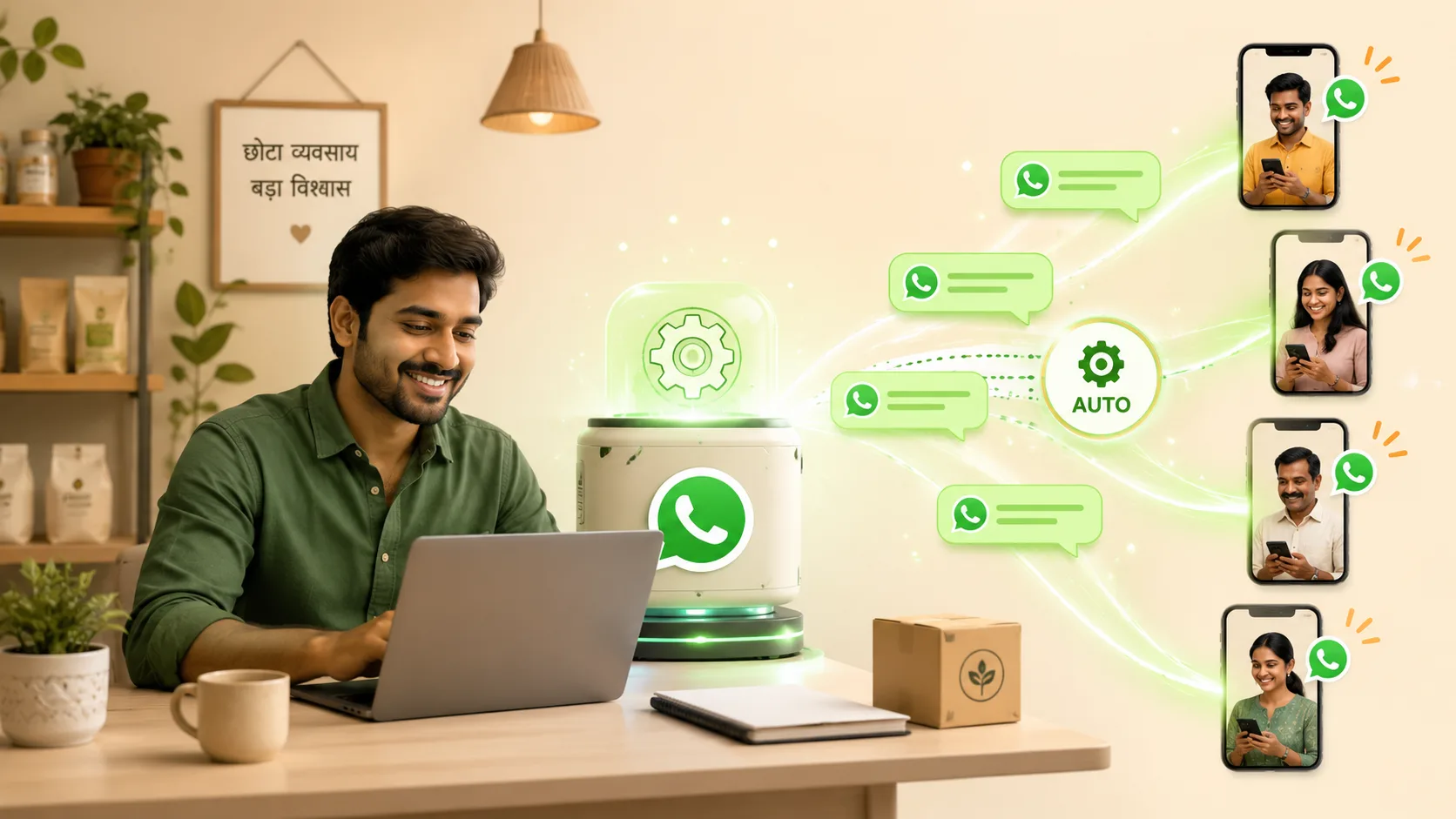
The 8 Core Automations Every Business Should Run
There are eight WhatsApp automations that cover almost every Indian SMB use case: welcome messages, auto-reply/keyword bots, drip sequences, abandoned cart recovery, appointment and payment reminders, order and shipping updates, re-engagement/win-back, and feedback/review collection. Together they touch a customer from the first hello to the post-purchase review. Here is what each one does and when it fires:
- Welcome message — fires the instant someone first messages your number or opts in. Sets the tone, shares your menu/catalogue, and offers next steps. See our deep dive on welcome and keyword automation.
- Auto-reply / keyword bot — replies instantly when a customer sends a keyword like "PRICE", "MENU", "STATUS" or "HOURS". Answers FAQs without a human.
- Drip sequence — a timed series of messages (Day 0, Day 3, Day 7…) that nurtures a new lead or onboards a customer step by step. Full guide: drip campaigns.
- Abandoned cart recovery — nudges shoppers who started checkout but didn't pay, often with a discount on the second nudge. Full guide: cart recovery.
- Appointment & payment reminders — utility templates sent 24 hours and 2 hours before an appointment, or 3 days before an invoice is due. Ideal for clinics and service businesses.
- Order & shipping updates — transactional messages: order confirmed, packed, shipped, out for delivery, delivered. Builds trust for e-commerce brands.
- Re-engagement / win-back — reaches customers who haven't bought in 30, 60 or 90 days with a "we miss you" offer.
- Feedback & review collection — fires a day after delivery or service to ask for a rating, a Google review, or a quick survey via WhatsApp Flows.
You don't need all eight on day one. Most businesses start with welcome + auto-reply, add reminders and order updates next, then layer on drip and cart recovery as they scale.
Automation Types at a Glance: Trigger, Message Type and Cost
The table below maps each automation to its trigger, the message type it uses, and exactly what it costs on PayPerWA — with Meta's fee and PayPerWA's ₹0.20 fee always shown separately. "Template" means a business-initiated message (Meta charges by category); "Session" means a reply inside the 24-hour window (Meta charges nothing, PayPerWA still applies ₹0.20).
| Automation | Trigger | Message type | Cost per message |
|---|---|---|---|
| Welcome message | First message / opt-in | Session reply (inside 24h) | Meta FREE + PayPerWA ₹0.20 = ₹0.20 |
| Keyword auto-reply | Customer sends a keyword | Session reply (inside 24h) | Meta FREE + PayPerWA ₹0.20 = ₹0.20 |
| Drip sequence (re-open) | Time delay (Day 3, 7…) | Utility/Marketing template | Meta ₹0.13–₹0.86 + PayPerWA ₹0.20 |
| Abandoned cart | Checkout started, not paid | Marketing template | Meta ₹0.86 + PayPerWA ₹0.20 = ₹1.06 |
| Appointment reminder | Time before booking | Utility template | Meta ₹0.13 + PayPerWA ₹0.20 = ₹0.33 |
| Payment reminder | Invoice due date | Utility template | Meta ₹0.13 + PayPerWA ₹0.20 = ₹0.33 |
| Order / shipping update | Order status change | Utility template | Meta ₹0.13 + PayPerWA ₹0.20 = ₹0.33 |
| Win-back / re-engagement | 30/60/90 days inactive | Marketing template | Meta ₹0.86 + PayPerWA ₹0.20 = ₹1.06 |
| Feedback / review | Day after delivery | Utility template or Flow | Meta ₹0.13 + PayPerWA ₹0.20 = ₹0.33 |
Notice the pattern: any reply you send inside the customer's 24-hour window costs you only ₹0.20 because Meta charges nothing there. Templates that open a new conversation carry Meta's category fee on top. Designing automations to live inside the 24-hour window wherever possible is the single biggest cost lever you have.
Templates vs Session Messages and the 24-Hour Window
WhatsApp splits every message into two buckets: pre-approved templates that can start a conversation, and free-form session messages you can only send inside a 24-hour window opened by the customer's last message. Understanding this rule is the foundation of every cost and compliance decision in automation.
Here is how it works:
- The 24-hour window opens every time a customer messages you. For the next 24 hours you can send any free-form message — text, images, buttons, lists — with no Meta conversation charge.
- Outside the window (or to start a fresh conversation), you must use a pre-approved template. Meta charges for these by category: Marketing ₹0.86, Utility ₹0.13, Authentication ₹0.13.
- Every template must be approved by Meta before it can be sent. PayPerWA submits it for you; approval usually takes minutes to a few hours.
So an automation flow typically goes: a template re-opens the conversation (you pay Meta's category fee + ₹0.20), the customer replies, and now you are inside the 24-hour window where every further message costs only PayPerWA's ₹0.20. This is why keyword bots and welcome messages are so cheap — they live entirely inside windows the customer opened.
One nuance unique to automation billing on PayPerWA: even free Meta session replies still carry the ₹0.20 platform fee per message. So an automated bot that sends five session messages in a conversation costs 5 × ₹0.20 = ₹1.00 in platform fees, with ₹0 from Meta. We always show this split clearly so there are no surprises.
How Automation Is Billed on PayPerWA (Transparent Costs)
On PayPerWA, every automated message is billed at a flat ₹0.20 platform fee, and Meta's per-conversation charge is added separately only when the message is a business-initiated template. There is no subscription, no per-contact fee, and no markup on Meta's rates — you connect to the Meta Cloud API directly.
The full picture for automation:
- Session messages (inside 24h window): Meta charges ₹0 → you pay only PayPerWA ₹0.20 per message.
- Utility templates (reminders, order updates): Meta ₹0.13 + PayPerWA ₹0.20 = ₹0.33 per message.
- Authentication templates (OTP, login): Meta ₹0.13 + PayPerWA ₹0.20 = ₹0.33 per message.
- Marketing templates (offers, win-back, cart): Meta ₹0.86 + PayPerWA ₹0.20 = ₹1.06 per message.
Your wallet is prepaid via Razorpay (UPI, cards, net banking). Each message deducts from the wallet atomically as it sends, and failed messages are auto-refunded. Critically, a balance gate halts every automation and flow the moment your wallet hits zero — so you can never accidentally run up a bill or be charged postpaid. Top up and the automations resume.
A worked example: a clinic running 1,000 appointment reminders a month sends utility templates at ₹0.33 each = ₹330/month total, broken out as Meta ₹130 + PayPerWA ₹200. Compare that to a typical SaaS subscription of ₹2,000–₹5,000/month before message costs even start. Run the numbers yourself on the pricing page.
How to Set Up Your First Automation on PayPerWA (Step by Step)
You can set up a working WhatsApp automation on PayPerWA in under ten minutes by following five steps: connect your number, build a template, define the trigger, map the flow, and switch it live. No code is required at any point.
- Connect your WhatsApp number. Sign up and complete the embedded signup — PayPerWA links your number to the Meta Cloud API directly, with no BSP in between.
- Create and submit your template. In Templates, write your message (e.g. an appointment reminder), choose the category (Utility), and submit. Meta approves it, usually within minutes.
- Choose the trigger. Open the Chatbot/Flows builder and pick what starts the automation: a keyword ("BOOK"), a welcome (first message), a time delay (drip), or an event (cart abandoned, order shipped).
- Map the flow visually. Drag message blocks, add buttons ("Yes, confirm" / "Reschedule"), branch on the customer's reply, and add delays between steps. Customers see interactive buttons and lists, not a wall of text.
- Test and go live. Send yourself a test, confirm the buttons and branches work, then toggle the automation on. It now runs 24x7. Want the deeper walkthrough? Read how to build a WhatsApp chatbot without coding.
For bulk-style automations that fire to many contacts (like a win-back to lapsed customers), pair this with our guide on sending bulk WhatsApp messages via API.
Opt-In Compliance: Staying on the Right Side of WhatsApp
WhatsApp automation is only legal when every contact has given explicit opt-in consent, and sending to people who haven't opted in (or who opted out) risks getting your number banned by Meta. Compliance is not optional — it is what keeps your business running on the platform.
The non-negotiable rules:
- Collect opt-in explicitly. A checkbox at checkout, a "send YES to subscribe" keyword, or a sign-up form. Buying contact lists is forbidden and dangerous.
- Honour opt-outs instantly. When someone says STOP, your automations must never message them again. PayPerWA blocks sends to opted-out contacts automatically (the opt-out flag halts all messaging).
- Use the right template category. Don't disguise a marketing offer as a utility message — Meta re-classifies templates and penalises misuse.
- Keep quality high. Low-quality, spammy automations drag down your Meta quality rating, which lowers your daily messaging limit. Relevant, wanted messages keep your rating green.
The good news: when you automate value (order updates, reminders, helpful replies) rather than spam, customers stay opted in, your quality rating climbs, and Meta raises your sending limits. Compliance and good marketing point in the same direction.
Common WhatsApp Automation Mistakes (and How to Avoid Them)
The most common WhatsApp automation mistakes are over-messaging, using marketing templates when utility would do, breaking the 24-hour window, and never handing off to a human. Each one quietly costs you money, reach, or customer trust. Avoid these:
- Sending too often. More than 2-4 messages a week feels like spam and triggers opt-outs. Space your drips and cap your frequency.
- Paying Marketing rates for Utility messages. An order update is a Utility template (₹0.13) not Marketing (₹0.86). Choosing the wrong category overpays Meta by 6x. Always match the category to the content.
- Ignoring the 24-hour window. If a customer just messaged you, reply inside the window (₹0.20 only) instead of firing a paid template. Designing flows around the window slashes cost.
- No human handoff. When the bot can't answer, it must offer "talk to a person". A dead-end bot frustrates customers and loses sales.
- No testing. Buttons that don't branch correctly, broken variable mapping, or a template stuck unapproved — always send yourself a test before going live.
- Forgetting the wallet. An empty wallet halts every automation via the balance gate. Set a low-balance reminder so flows never stop silently.
Getting Started: Your 30-Minute Automation Plan
The fastest way to launch WhatsApp automation is to start with two automations — a welcome message and a keyword auto-reply — and expand from there once they prove their value. You can have both live in about 30 minutes.
Your week-one plan:
- Day 1: Create your PayPerWA account, connect your number, and recharge a small wallet (₹200 covers ~1,000 session messages).
- Day 1: Set a welcome message and one keyword auto-reply (e.g. "PRICE" → your rate card). Both cost only ₹0.20 each.
- Day 2-3: Add the reminder or order-update automation most relevant to your business (clinic → appointment reminder; e-commerce → shipping update).
- Week 2: Layer on a 3-step drip sequence for new leads.
- Week 3: Turn on abandoned cart recovery if you sell online, or a win-back for lapsed customers.
Every step is no-code, transparently priced, and pay-as-you-go. There is no subscription to commit to and no minimum spend — you only pay ₹0.20 per message plus Meta's pass-through fee. Whether you run a restaurant, an online store, or a clinic, the same eight automations scale with you. Start free today.
Frequently Asked Questions
What is WhatsApp marketing automation?+
How much does WhatsApp automation cost in India?+
Do I need coding skills to automate WhatsApp?+
What is the WhatsApp 24-hour window?+
Which WhatsApp automations should a small business start with?+
Is WhatsApp marketing automation legal in India?+
What happens to my automations if my wallet runs out?+
What is the difference between a broadcast and an automation?+
Ready to Start WhatsApp Marketing?
No subscription. No monthly fee. Just ₹0.20 per message.
PayPerWA Team
We build India's most affordable WhatsApp marketing platform. No subscriptions, no hidden fees — just 20 paisa per message.