WhatsApp Appointment Reminder Automation for Clinics, Salons & Gyms (2026)
WhatsApp appointment reminder automation cuts no-shows for clinics, salons and gyms. See the schedule, templates, costs and setup for Indian SMBs in 2026.
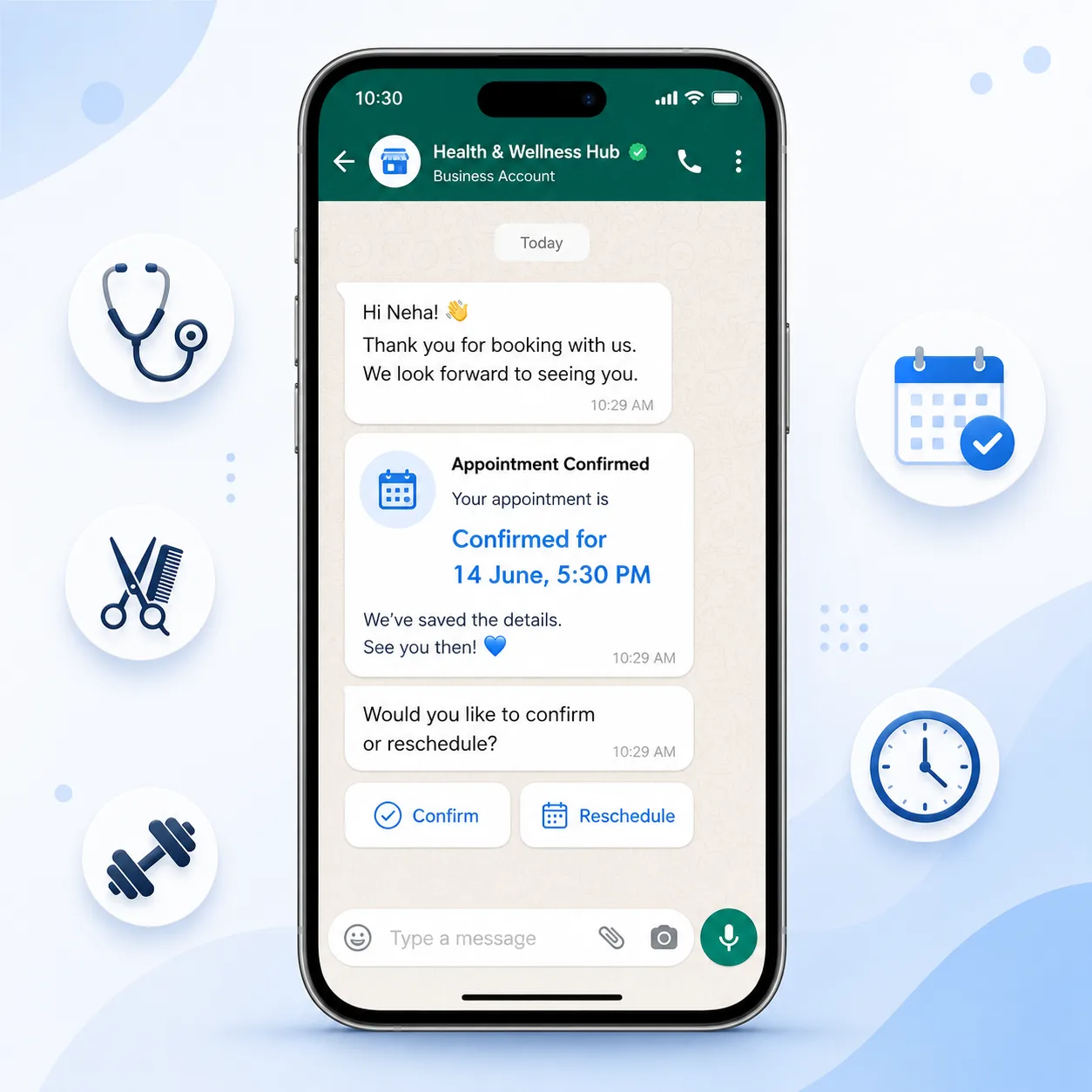
Key Takeaways
- Appointment reminders are Utility templates: Meta ₹0.13 + PayPerWA ₹0.20 = ₹0.33 per message — far cheaper than one lost slot.
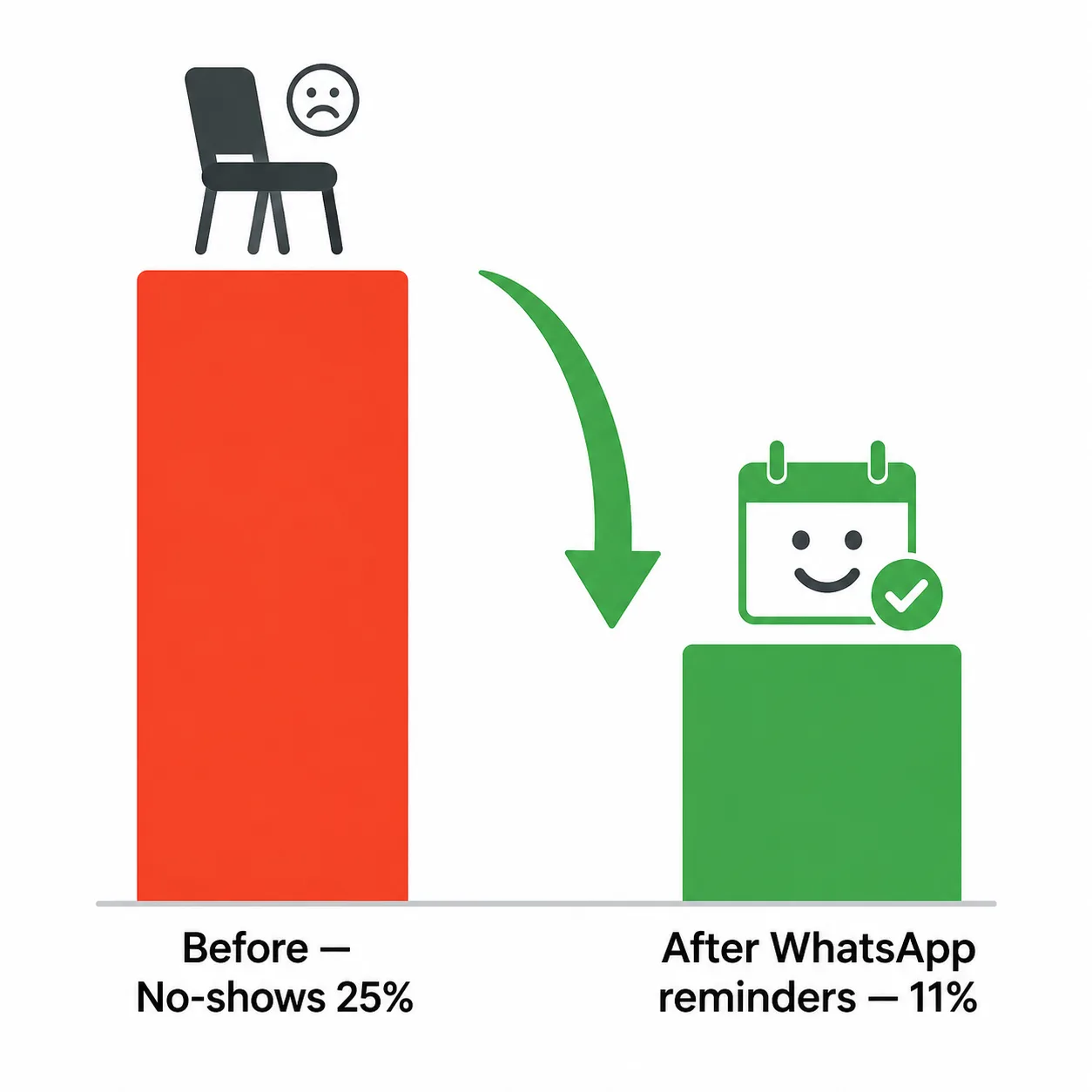
- No-shows cost Indian clinics, salons and gyms 15-30% of booked slots; WhatsApp reminders typically cut them by half.
- The proven schedule is four touches: booking confirmation, a 24-hour reminder, a 2-hour reminder, and a post-visit follow-up.
- Add Confirm and Reschedule buttons so patients can respond in one tap — replies inside 24 hours cost only ₹0.20 with no Meta fee.
- On PayPerWA there is no subscription; you connect a calendar or booking webhook and pay per message from a prepaid UPI wallet.
What is WhatsApp appointment reminder automation?
WhatsApp appointment reminder automation is a system that automatically sends booking confirmations and timed reminders on WhatsApp so customers remember and show up for their appointments. It replaces manual phone calls and SMS with messages people actually read.
The flow is straightforward: when a booking is made, an automation confirms it instantly, then sends a reminder the day before, another a couple of hours before, and a follow-up after the visit. Each message uses a Meta-approved Utility template with the customer's name, date and time filled in automatically.
For appointment-based businesses — clinics, dental practices, diagnostic labs, salons, spas, and gyms — this is the difference between a full calendar and a half-empty one. WhatsApp is where Indian customers already are, so a reminder there is seen in minutes, not buried in an inbox. See our dedicated pages for clinics and gyms for industry-specific setups.
The no-show problem and what it costs
No-shows are expensive because an empty slot can never be resold. When a patient or client books and does not turn up, the business loses the revenue, the staff time held for them, and often a customer who could have taken that slot.
Across Indian appointment businesses, no-show rates typically run 15-30% of booked appointments. Consider what that means in rupees:
| Business | Bookings / month | No-show rate | Avg slot value | Monthly loss |
|---|---|---|---|---|
| Dental clinic | 400 | 20% | ₹800 | ₹64,000 |
| Hair & beauty salon | 600 | 18% | ₹600 | ₹64,800 |
| Gym (PT sessions) | 300 | 25% | ₹500 | ₹37,500 |
| Diagnostic lab | 500 | 15% | ₹700 | ₹52,500 |
That is lakhs of rupees a year leaking out of a single location — and the fix costs paise per reminder. Cutting no-shows is the fastest revenue win for any appointment business.
Why WhatsApp reminders cut no-shows
WhatsApp reminders cut no-shows because they get read and they make responding effortless. A reminder only prevents a no-show if the customer sees it in time — and WhatsApp is read far more reliably than SMS or email.
- They are seen. WhatsApp open rates run 90%+ versus 15-25% for email and lower engagement on SMS, which often lands in a junk folder unread.
- They are personal. A message with the customer's name, the doctor or stylist, and the exact slot feels like a real reminder, not a broadcast.
- They invite action. Confirm and Reschedule buttons let a customer respond in one tap — so a clash becomes a rescheduled booking instead of an empty chair.
- They are timely. A reminder 2 hours before catches the customer when they are deciding whether to leave the house.
The combined effect is dramatic: businesses that switch from no reminders (or unread SMS) to WhatsApp reminders routinely halve their no-show rate. Learn the broader playbook in our WhatsApp marketing automation guide.
The proven reminder schedule
The proven schedule is four messages: an instant booking confirmation, a 24-hour reminder, a 2-hour reminder, and a post-visit follow-up. Each touch serves a distinct purpose in keeping the slot and growing the relationship.
| # | When | Goal | Example message | Template type |
|---|---|---|---|---|
| 1 | At booking | Confirm + reassure | Hi Anil, your appointment with Dr. Mehta is confirmed for 14 June, 5:30 PM at SmileCare Dental. | Utility (₹0.13) |
| 2 | 24 hours before | Remind + let them confirm | Reminder: your appointment is tomorrow at 5:30 PM. Tap Confirm or Reschedule below. | Utility (₹0.13) |
| 3 | 2 hours before | Final nudge | See you soon, Anil! Your appointment is at 5:30 PM today. Our address: 12 MG Road. Reply if you are running late. | Utility (₹0.13) |
| 4 | After visit | Follow-up + rebook | Thank you for visiting, Anil. We hope you are happy with your treatment. Book your next check-up here. | Utility (₹0.13) |
All four are Utility templates because they are transactional, not promotional — so each costs only Meta ₹0.13 + PayPerWA ₹0.20. The post-visit follow-up doubles as a retention engine, quietly driving repeat bookings.
Example Utility templates with variables
Effective reminder templates use variables so one approved template serves every customer. You build the template once, Meta approves it, and PayPerWA fills the blanks per booking.
Booking confirmation template:
Hi {{1}}, your appointment with {{2}} is confirmed for {{3}} at {{4}}, {{5}}. Need to change it? Tap below.
Where the variables map to: {{1}} customer name, {{2}} doctor or stylist, {{3}} date and time, {{4}} branch name, {{5}} address.
24-hour reminder template (with buttons):
Reminder, {{1}}: your appointment at {{2}} is tomorrow, {{3}}. Please tap Confirm to keep it or Reschedule to pick a new time.
- Quick-reply button: Confirm
- Quick-reply button: Reschedule
Post-visit follow-up template:
Thank you for visiting {{1}}, {{2}}. We hope everything went well. Book your next visit here: {{3}}.
Keep the language transactional to stay in the Utility category. For more wording patterns, see our WhatsApp template message examples and the building blocks on our features page.
Industry examples: clinic, dental, salon, lab, gym
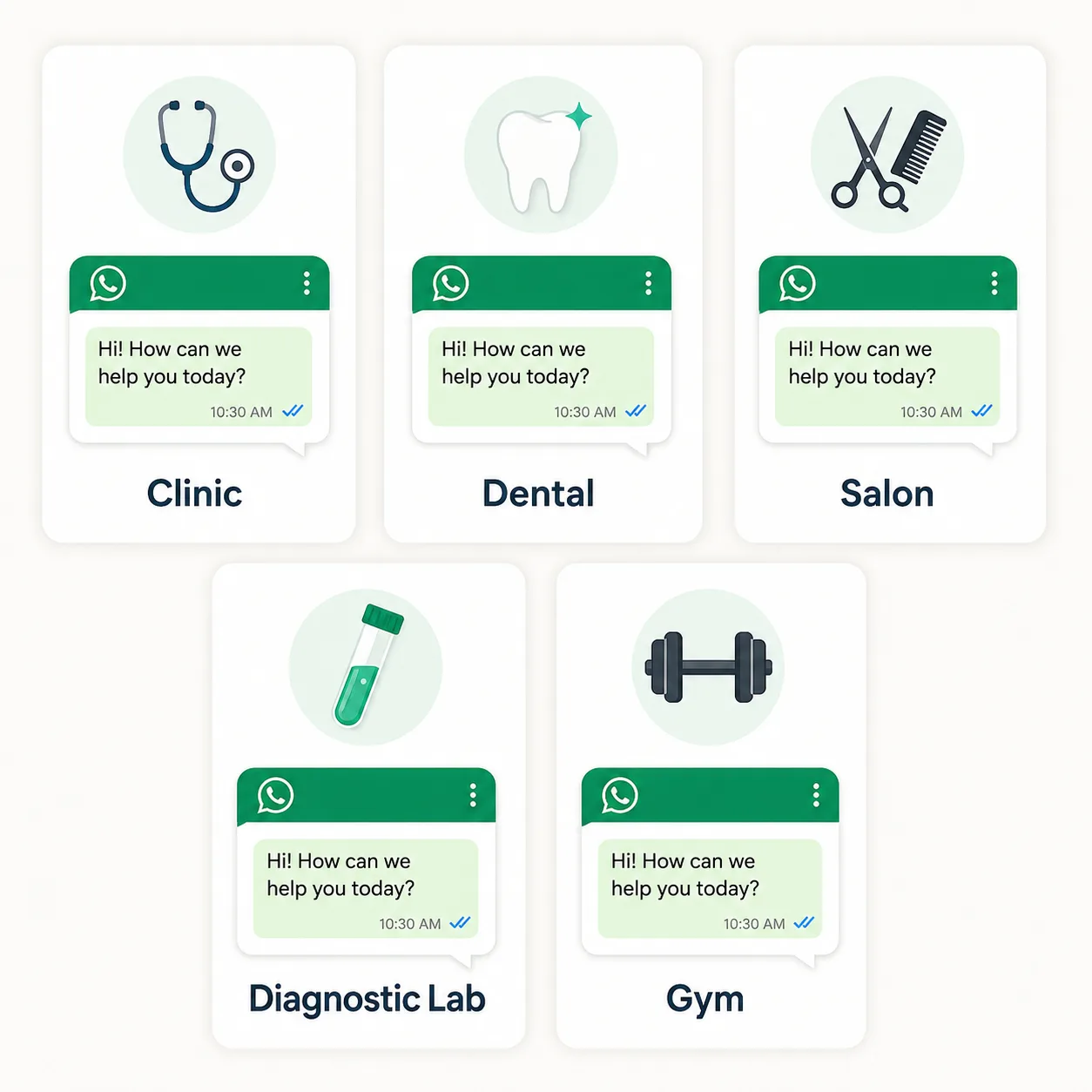
The same four-message skeleton adapts to every appointment business — only the wording and timing of the follow-up change. Here is how each industry uses it.
- Clinic / doctor. Confirm with doctor name and department; 24h and 2h reminders; post-visit follow-up with prescription pickup or next check-up date. Add fasting instructions for relevant appointments.
- Dental practice. Same schedule, plus a 6-month recall reminder for cleanings — a powerful retention loop that books slow periods.
- Salon / spa. Confirm the stylist and service; 2h reminder is critical because clients decide last-minute; follow-up asks for a review and offers to book the next appointment.
- Diagnostic lab. Confirmation includes prep instructions (fasting, water intake); reminder includes the report-ready notification afterwards. See WhatsApp marketing for clinics.
- Gym. Confirm personal-training sessions; 2h reminder to reduce skipped sessions; post-session follow-up plus membership-renewal nudges. See WhatsApp marketing for gyms.
Whatever the vertical, the reminder is Utility, the follow-up drives repeat revenue, and the whole thing runs hands-free.
Setup on PayPerWA: calendar and webhook integration
Setting up reminders means connecting your booking source to PayPerWA so a new booking triggers the sequence automatically. There are two common routes.
- Booking software or calendar webhook. If you use clinic-management, salon-booking or gym software, configure it to POST each new booking — customer phone, name, service, date and time — to your PayPerWA webhook. PayPerWA confirms instantly and schedules the 24h and 2h reminders.
- Direct API or manual entry. A custom booking system calls the PayPerWA API with the booking details. For very small practices, you can also add a contact and trigger the reminder template manually — but webhooks make it truly hands-free.
Once connected, PayPerWA handles scheduling relative to the appointment time, fills template variables per booking, and routes Confirm/Reschedule button taps back so your front desk sees responses. A wallet balance check runs before each send, pausing the automation if the wallet is empty rather than missing reminders silently. Walk through the wider automation patterns in our automation guide.
What it costs: Utility ₹0.13 + PayPerWA ₹0.20
Each reminder costs Meta ₹0.13 (Utility rate) plus the PayPerWA ₹0.20 platform fee — ₹0.33 per message, with no subscription. That is a fraction of the value of the slot it protects.
| Message | Category | Meta fee | PayPerWA fee | Total |
|---|---|---|---|---|
| Booking confirmation | Utility | ₹0.13 | ₹0.20 | ₹0.33 |
| 24-hour reminder | Utility | ₹0.13 | ₹0.20 | ₹0.33 |
| 2-hour reminder | Utility | ₹0.13 | ₹0.20 | ₹0.33 |
| Post-visit follow-up | Utility | ₹0.13 | ₹0.20 | ₹0.33 |
| Full 4-message cycle | Utility | ₹0.52 | ₹0.80 | ₹1.32 |
So a complete reminder cycle for one appointment costs about ₹1.32 (Meta ₹0.52 + PayPerWA ₹0.80). Compare that to losing a ₹800 dental slot to a no-show. Better still, when a customer replies inside the 24-hour window — for example tapping Confirm and asking a question — your reply costs only ₹0.20, because Meta does not charge for session messages. Full rates are on our pricing page.
Reschedule and confirm buttons in action
Confirm and Reschedule buttons turn a one-way reminder into a two-way conversation that saves the slot. Instead of a customer silently not showing up, they tell you in advance — and you refill the slot.
- Confirm. A tap on Confirm marks the booking as confirmed in your system and reassures the customer. No-show risk drops because they have actively committed.
- Reschedule. A tap on Reschedule opens a conversation (or a WhatsApp Flow) where the customer picks a new slot. The original slot is freed for someone else instead of sitting empty.
- Any reply keeps it human. If a customer types "running 15 mins late", your front desk sees it and adjusts — far better than an awkward arrival or a lost slot.
Because these replies happen inside the 24-hour window, they carry no Meta fee — you pay only the ₹0.20 PayPerWA fee per outbound reply. This is where automation and a human inbox work together; see how in our auto-reply automation guide.
Compliance and opt-in
Compliance keeps your reminders deliverable and your customers comfortable. Appointment reminders need opt-in consent and must use approved Utility templates outside the 24-hour window.
- Capture consent at booking. A simple line — "We will send appointment updates on WhatsApp" — with a checkbox is enough. The customer giving you their number to book is part of that consent flow.
- Use approved Utility templates. Reminders must be Meta-approved and kept transactional. Do not slip promotional offers into a utility reminder, or Meta may reclassify it.
- Honour opt-outs. If a customer asks to stop, set them to opted-out; PayPerWA blocks further automated sends to them.
- Do not over-message. Four touches per appointment is plenty. Resist adding promotional blasts onto the reminder channel — it erodes trust and your sender rating.
PayPerWA enforces template approval and opt-out blocking by default, so a compliant reminder system is built in.
Getting started with PayPerWA
Getting started takes well under an hour: connect WhatsApp, create your reminder templates, link your booking source, and load your wallet. Follow these steps.
- Create a free account. Sign up on PayPerWA — no subscription, prepaid wallet, pay only per message.
- Connect your WhatsApp number. Onboard via embedded signup; PayPerWA uses the Meta Cloud API directly, so there is no BSP markup on your rates.
- Build your reminder templates. Create confirmation, 24h, 2h and follow-up Utility templates with variables and Confirm/Reschedule buttons, then submit for Meta approval.
- Connect your booking system. Point your clinic, salon or gym software's new-booking webhook at PayPerWA, or use the API.
- Recharge your wallet via UPI. A few hundred rupees covers hundreds of reminder cycles; keep a buffer so the wallet gate never pauses your reminders.
Within a day you will see no-shows fall and front-desk calls drop. Compare the numbers on our pricing page, and explore retention sequences in our WhatsApp drip campaign guide.
Frequently Asked Questions
How much does a WhatsApp appointment reminder cost in India?+
How much do WhatsApp reminders reduce no-shows?+
What is the best appointment reminder schedule?+
Are appointment reminders Utility or Marketing templates?+
Can I add Confirm and Reschedule buttons?+
Can I connect my booking software to PayPerWA?+
Do I need patient opt-in for reminders?+
Which businesses benefit most from WhatsApp reminders?+
Ready to Start WhatsApp Marketing?
No subscription. No monthly fee. Just ₹0.20 per message.
PayPerWA Team
We build India's most affordable WhatsApp marketing platform. No subscriptions, no hidden fees — just 20 paisa per message.